

Yomu Icon Yomu Icon Dark

Read Japanese the way you learn it

Yomu adapts furigana to your JLPT level, so you stop relying on full readings and start actually reading kanji. Tap any word for instant definitions. Track your progress. Build your vocabulary.

Coming soon to the App Store

Hi, I'm Igor.

I've been learning Japanese for a few years. While preparing for the JLPT N4, I spent a lot of time reading — and ran into the same problem over and over: most study materials show furigana on every single kanji.

That makes reading easier, but it also makes you depend on it. I kept looking at the furigana instead of the kanji, so I wasn’t improving at all.

One day in class, we covered the furigana with a piece of paper. Reading became harder — but also more fun. I finally had to pay attention to the kanji.

That’s where the idea for Yomu came from: a reader that hides furigana for kanji you should already know and keeps it only where you still need help.

Everything else grew naturally — importing text from anywhere, scanning pages with the camera, using a fast offline dictionary. But the core stayed the same: a Japanese reader that actually helps you learn.
No Ads
No Subscriptions
No Tracking

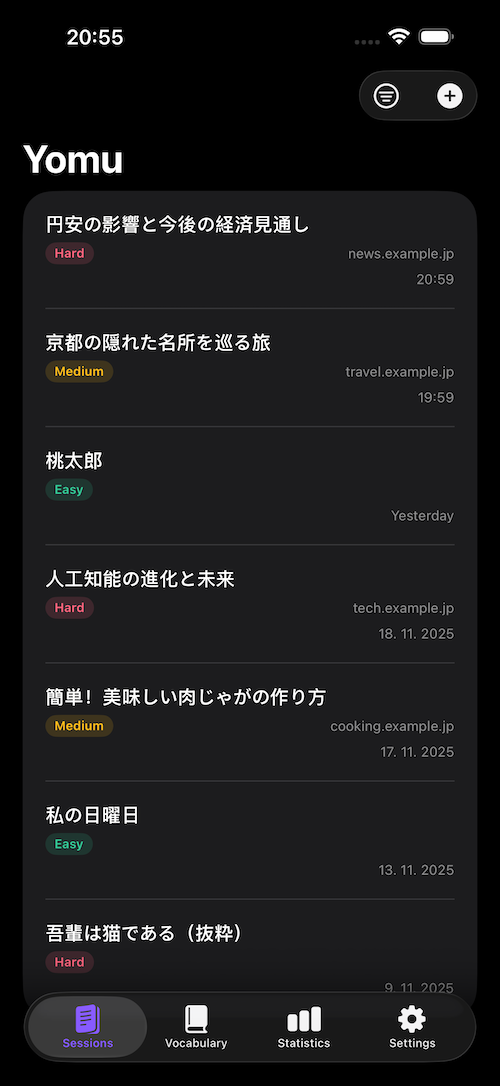
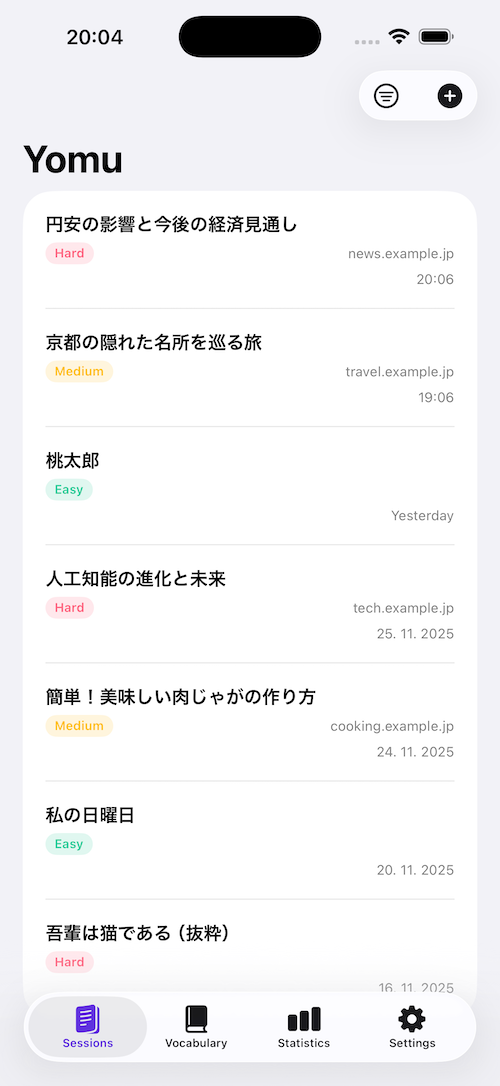
Your Personal Library

Keep all your reading materials in one place. Yomu automatically analyzes the difficulty of every text, so you know exactly what you're getting into before you start reading.

Yomu Library Yomu Library

Flow State Reading

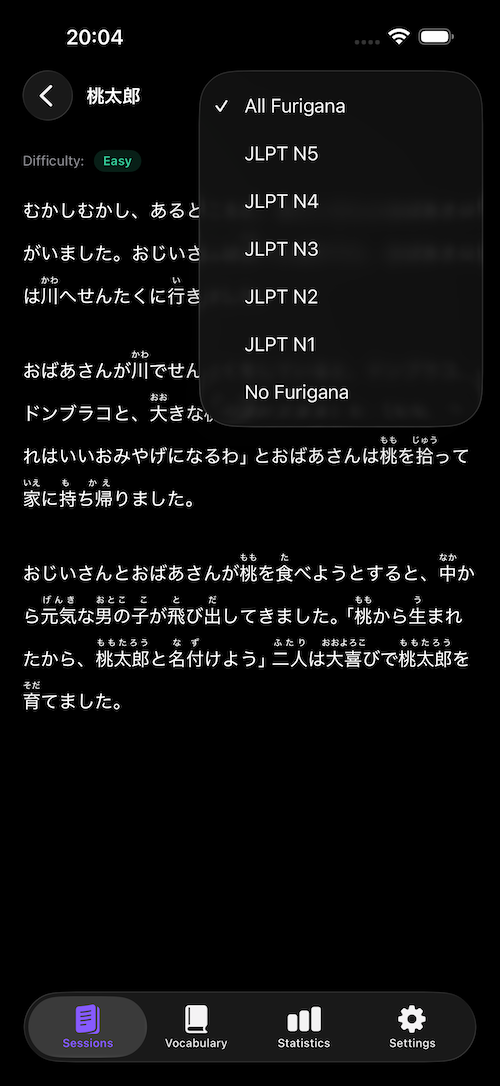
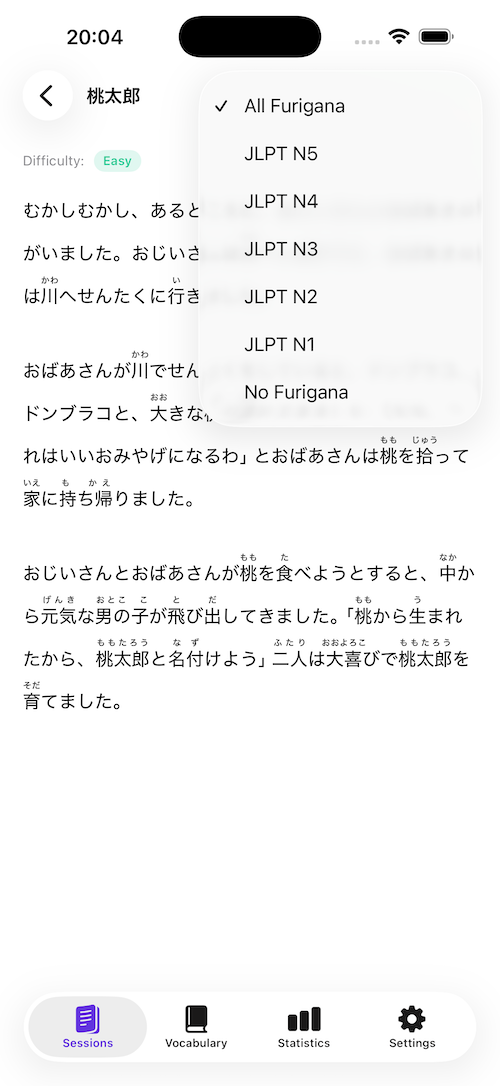
Adjust furigana to match your JLPT level—hide what you know, show what you don't. The distraction-free interface lets you focus entirely on the story.

Yomu Reader Furigana settings Yomu Reader Furigana settings

Offline Dictionary

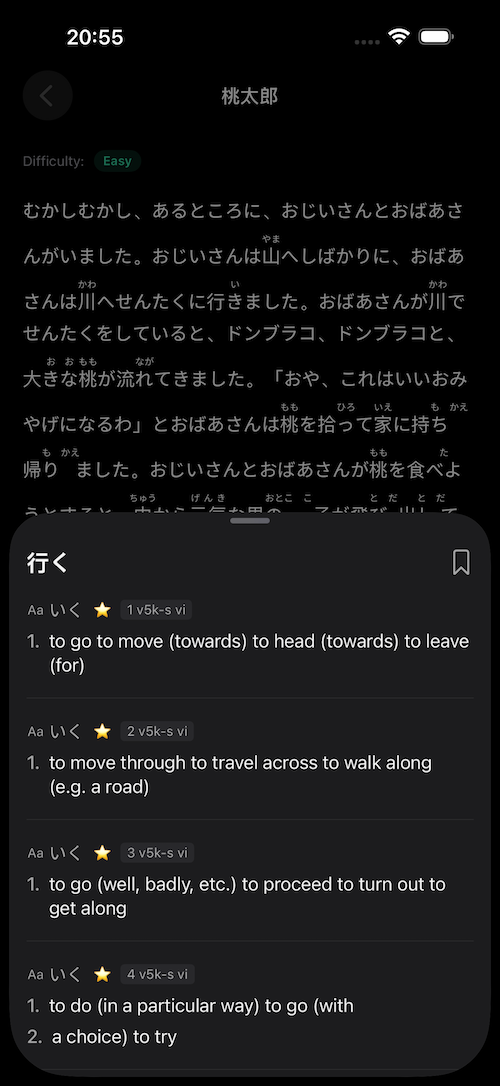
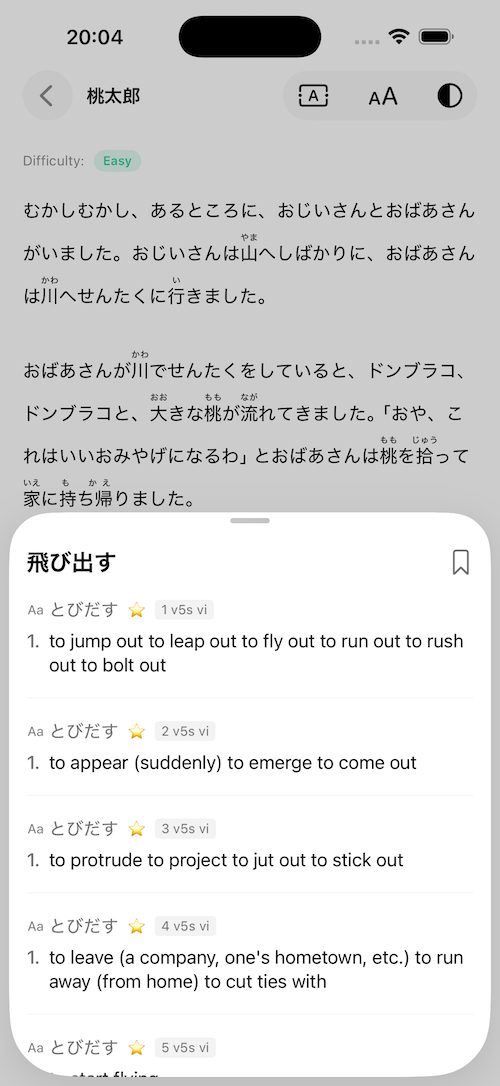
Lightning-fast lookups, zero internet required. The comprehensive dictionary lives on your device, so definitions appear instantly. Perfect for reading on the subway, plane, or anywhere else your journey takes you.

Yomu Reader dictionary lookup Yomu Reader dictionary lookup

Share from Anywhere

Select any Japanese text in Safari or other apps and send it straight into Yomu. No copy-pasting, no juggling tabs. Just tap Share → Yomu and continue reading with instant dictionary lookup and adaptive furigana.

Share Japanese text from Safari and other apps directly into Yomu.
Works in Light and Dark Mode with a seamless, native feel.

Scan Physical Books

Reading a printed book, manga, or magazine? Open the camera and scan the page. Yomu instantly converts the Japanese text to tappable, searchable text so you can look up words, add them to your vocabulary, and keep your reading flow.

Scan text from books and magazines — Yomu turns it into tappable Japanese instantly.
Camera import works beautifully in Light and Dark Mode.

Build Your Vocabulary

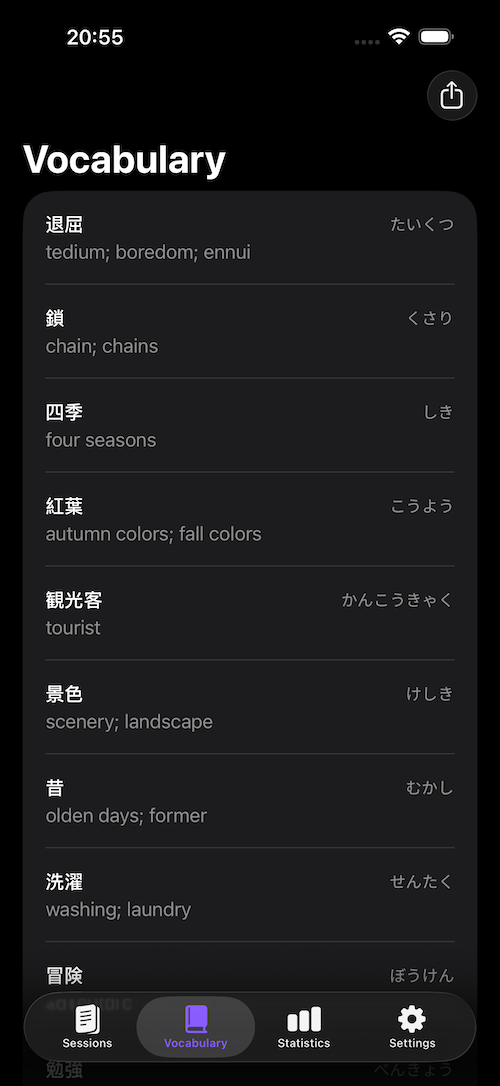
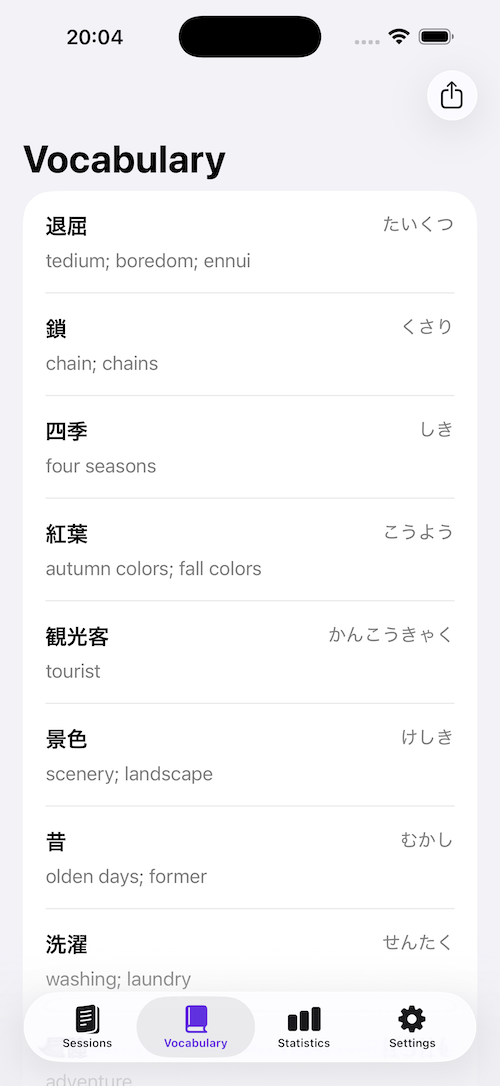
Save interesting words with a single tap. Review them later or export everything to CSV for Anki. Your personal dictionary grows as you read.

Yomu Vocabulary List Yomu Vocabulary List

Visual Progress

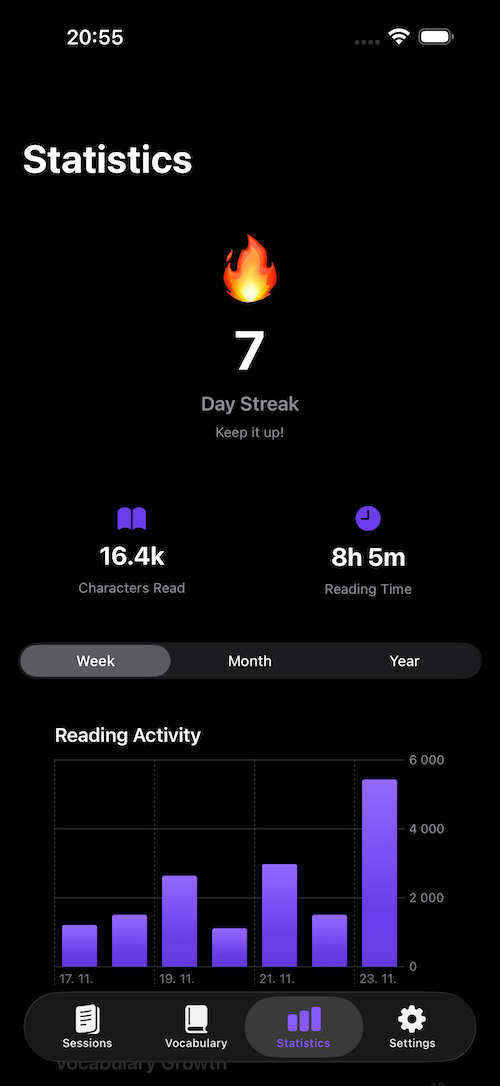
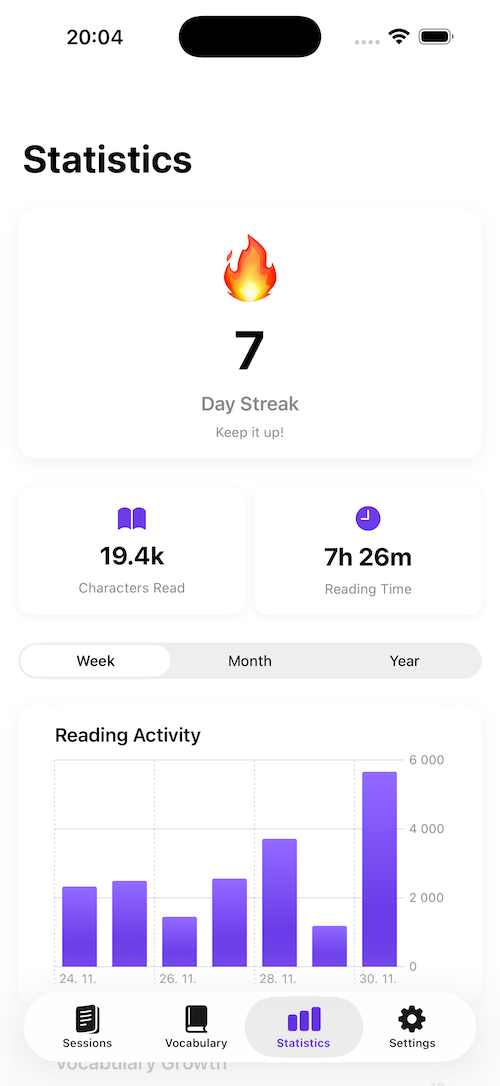
Track your reading volume, streaks, and vocabulary growth. Seeing the numbers go up is the best motivation to keep going every single day.

Yomu Statistics Yomu Statistics